

Agents
AI agents draft. A person approves the send.
In cloudmail, a send from an AI agent, an API token or a connected app waits in Pending approval until a person approves it. The server enforces this, so an agent can't approve its own send.
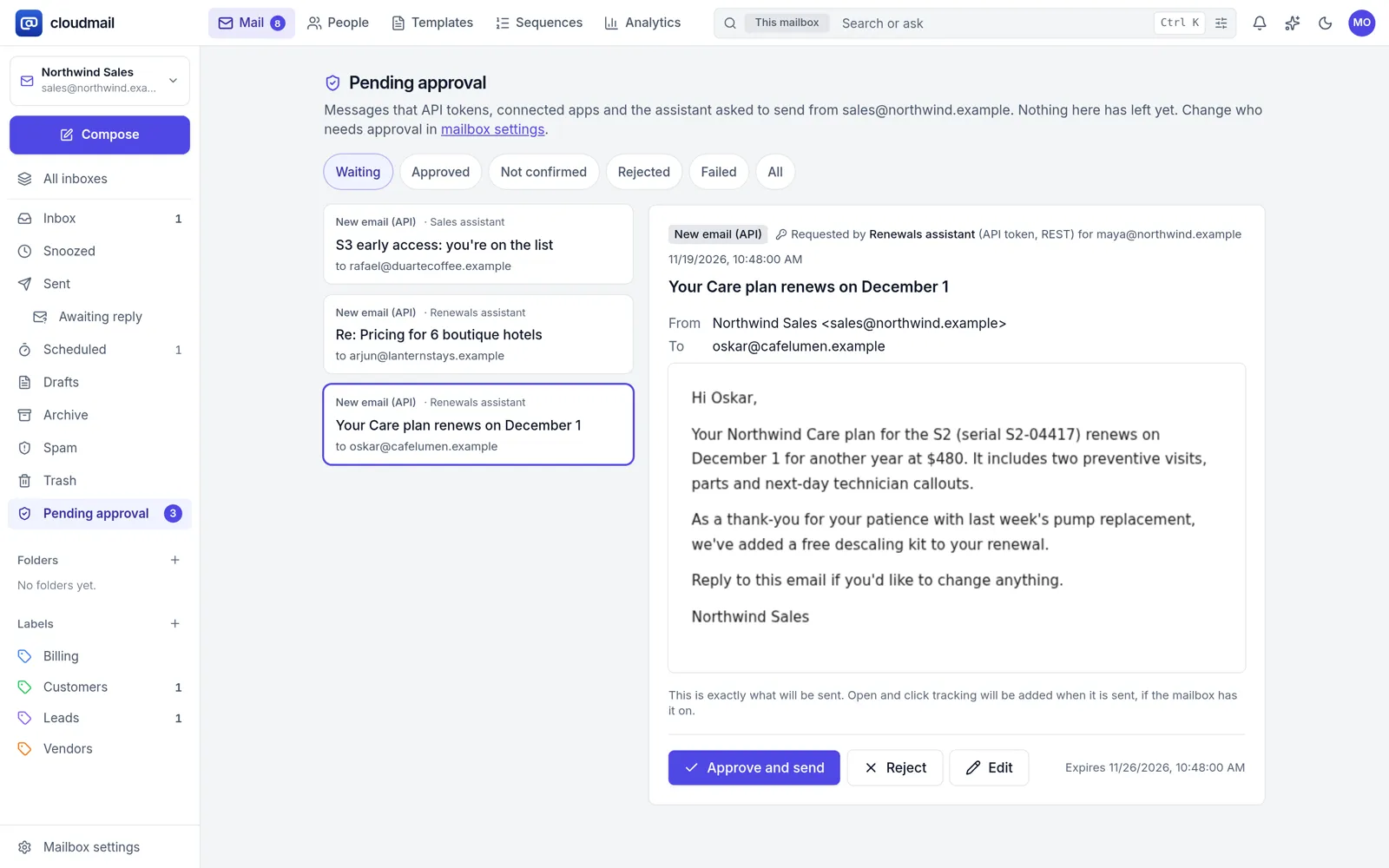
How approval works
Three modes per mailbox
Drafts only, approve every send, or send automatically for a credential you trusted.
What you approve is what is sent
The held message is fully composed. Edit it and the edit replaces it.
Every route is covered
MCP tools, the REST API, scheduled sends, templates and sequence enrolment.
Recipient allowlist
A send where every recipient is on the list goes straight out.
Approve from your phone
A held send arrives as a push notification.
In the access log
Every hold, approval and rejection is recorded with the person and the token or app.
How agents connect to cloudmailSend approval compared with AgentMail drafts
The three send modes
| Mode | What a send from an agent does |
|---|---|
| Drafts only | Refused. The agent can still write drafts. |
| Approve every send | Held in Pending approval until a person approves it. This is the default. |
| Send automatically | Sent directly, only by a credential you trusted to do so. |
Questions about send approval
Can an AI agent approve its own email?
No. There is no MCP tool to approve, a connected app can never approve a send, and an API token can never decide a send that it asked for.
Why hold sends from agents at all?
Anyone can email your mailbox, and an AI that reads that email can be steered by it. Holding the send means a person sees the message before it leaves.
How do I let an integration send without approval?
Set the mailbox to Send automatically, then give the integration a token with the mail:send:auto scope, or tick Send without approval on its connected app.
Related features
In the docs: Agent sends and approval. See every cloudmail feature, or browse the documentation.
One-time licence