

Features
Every feature, in the screen it lives in.
An AI-first mailbox for your team and your agents, and a complete replacement for Gmail or Outlook at work. These are working screens, not icons.
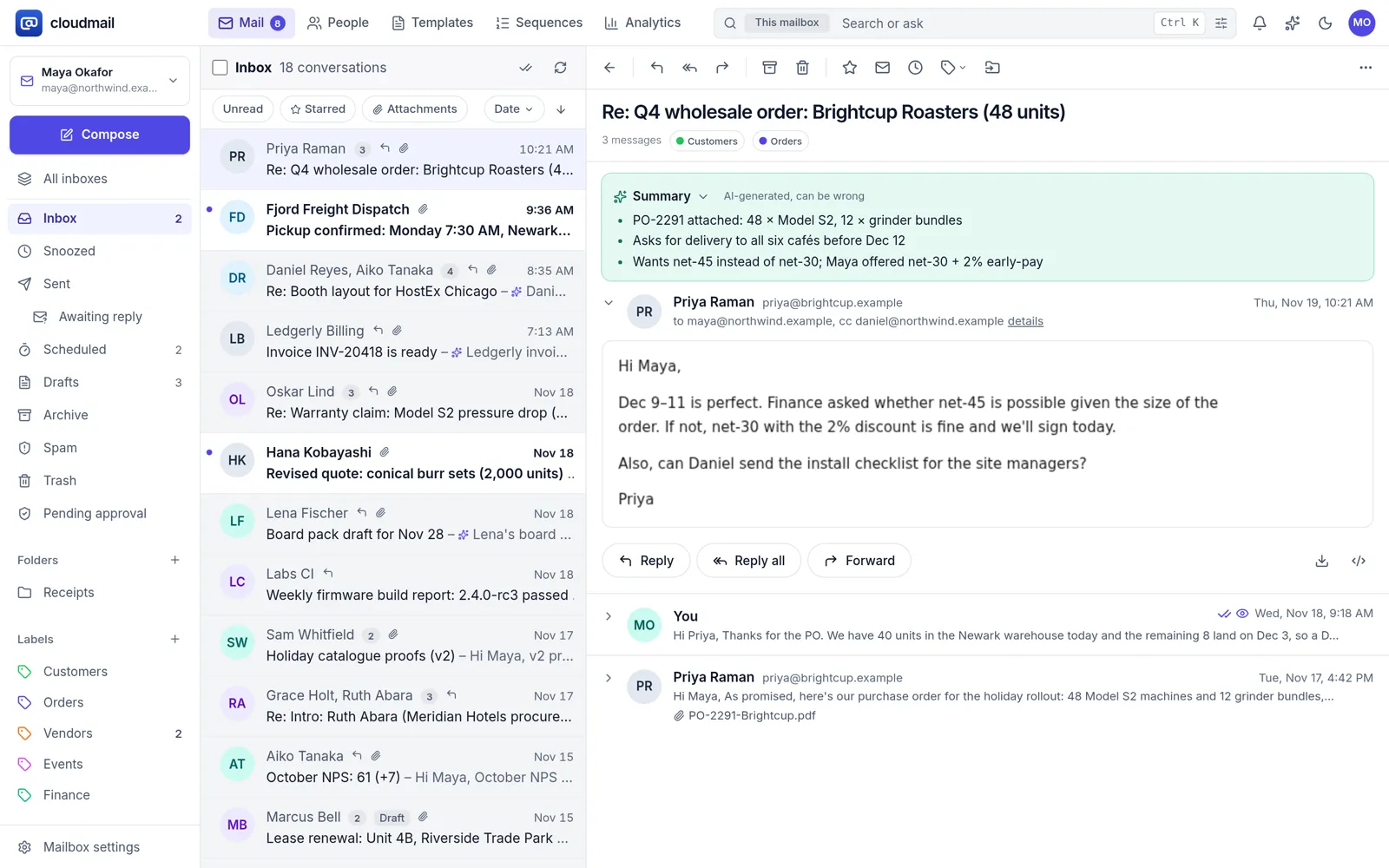
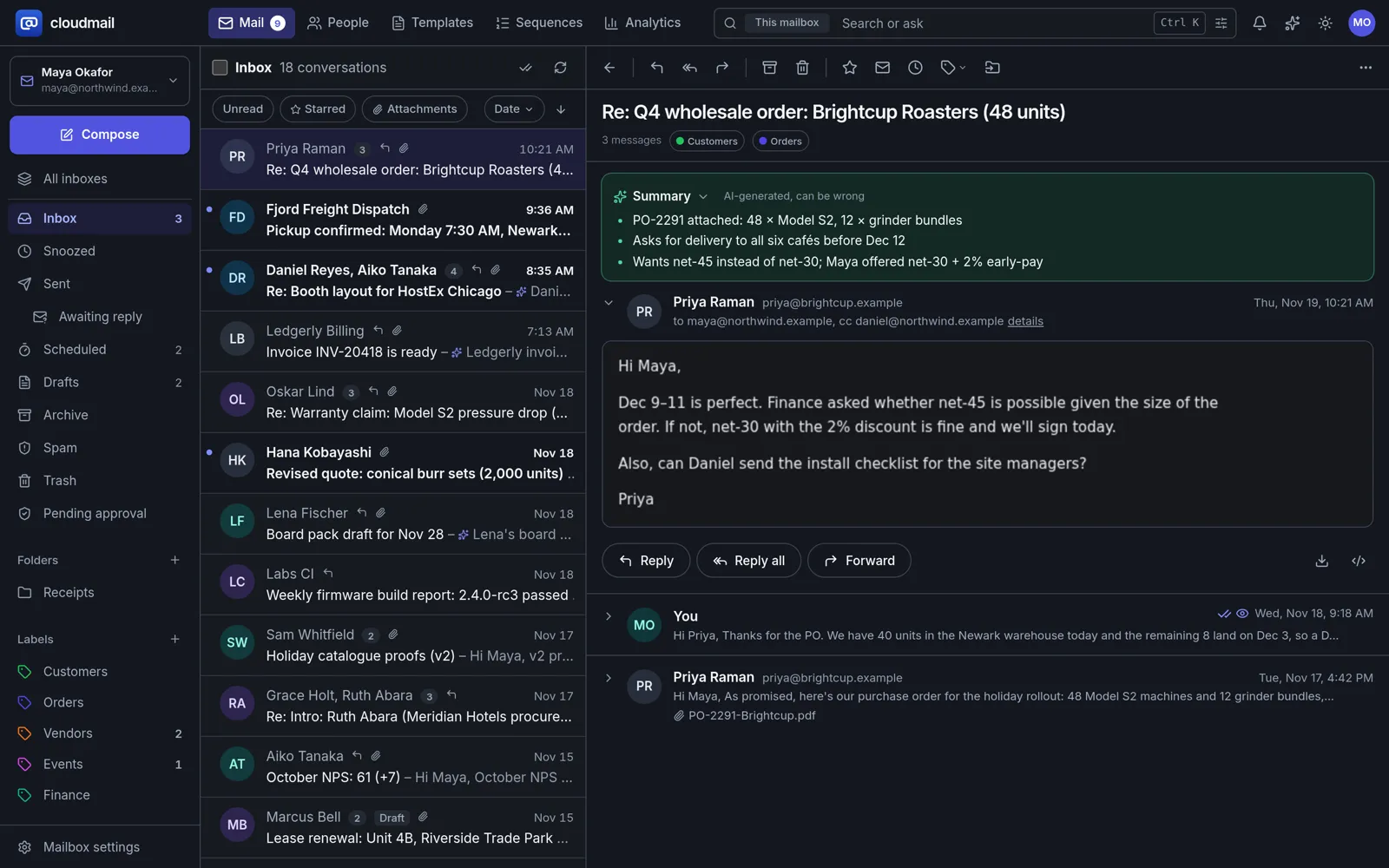
AI
AI-first
AI is part of how mail arrives, not a chatbot added on top. It summarises, sorts and drafts on Workers AI in your own account or on your own gateway, and a person decides what is sent.



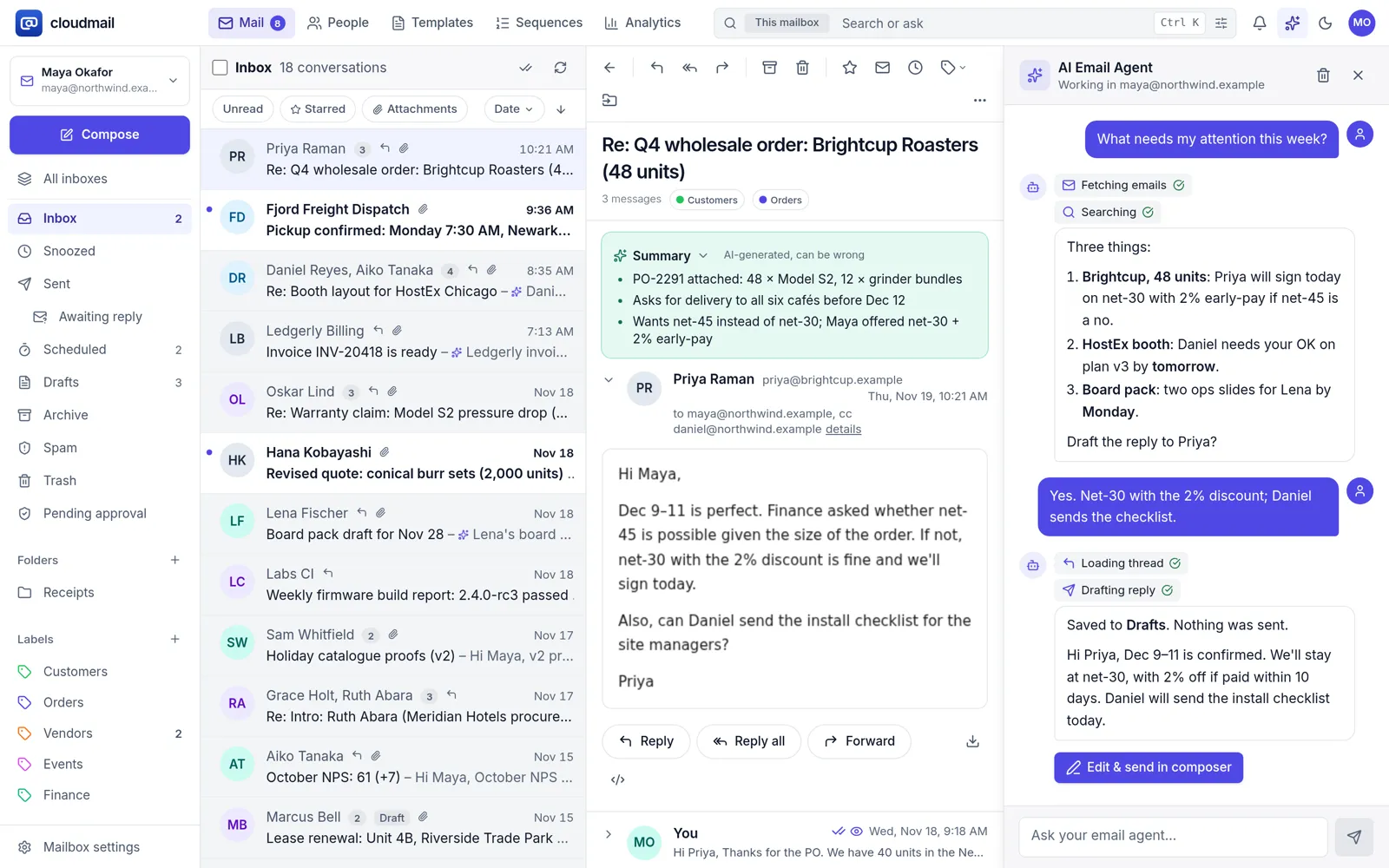
Three drafts are in Drafts: Tomás (new call time), Priya (pilot start) and Maya (corrected invoice). Nothing was sent.
The lease starts on 1 March, with keys handed over on 27 February 1. The deposit is due a week before 2.
An agent in the side panel
It reads, searches, files and drafts with your mailbox's tools. Anything it writes waits for you.
Draft replies to new mail
Optional, per mailbox, with your own instructions. Drafts land in Drafts and are never sent automatically.
Summaries
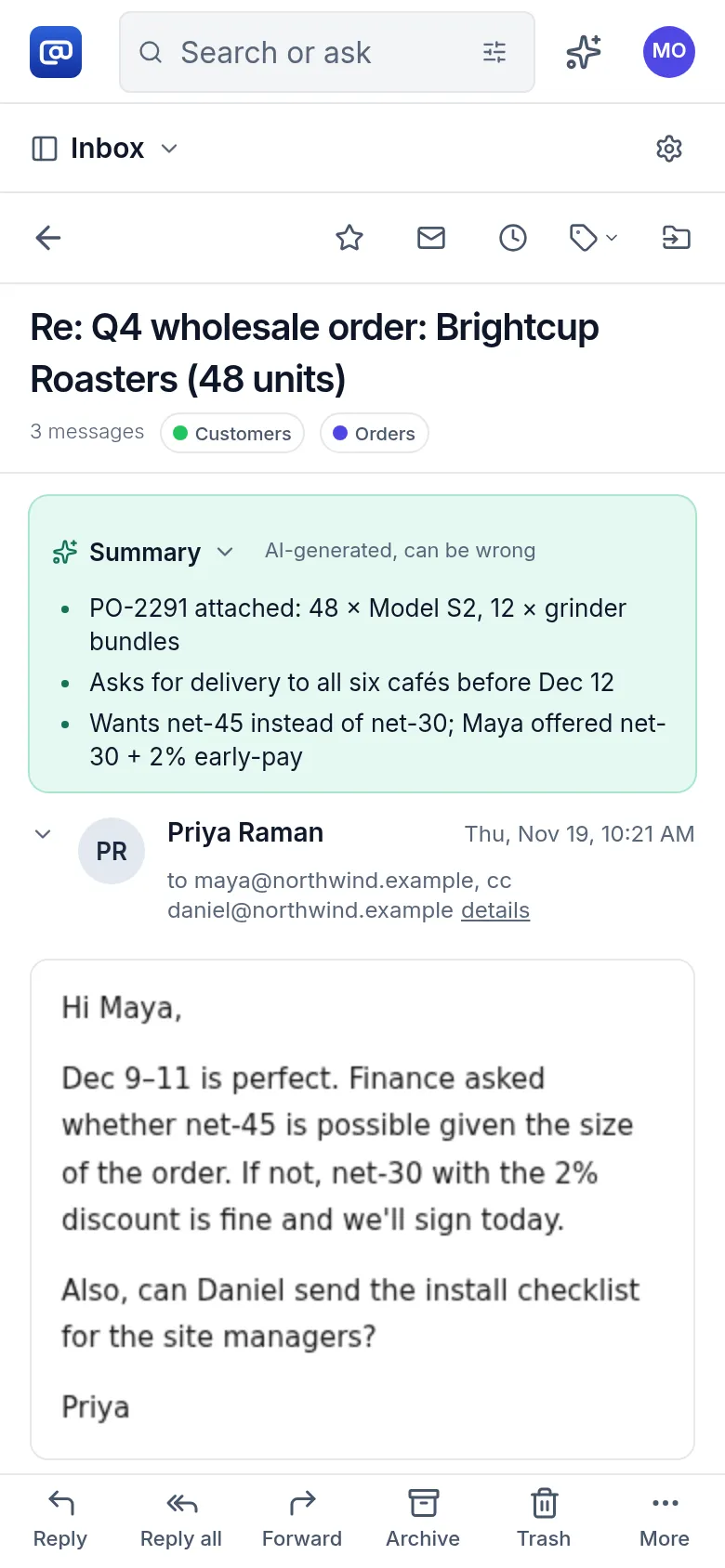
A one-line summary in the list and up to three bullets in the reader. Nothing is invented to fill space.
Labels you describe
Write a label's purpose in plain words and new mail that fits gets it. Corrections teach it.
The Screener
Mail from people you've never written to waits until you say yes or no.
Ask your inbox
Ask a question and get a short answer with links to the messages it came from.
Prompt-injection screening
Mail is scanned before any AI acts on it, and always on Workers AI, so a gateway outage can't switch it off.
Your model, your gateway
Pick a Workers AI model per task, or route everything to an Anthropic or OpenAI-compatible gateway.
Costs you can see
The Usage tab counts AI calls per feature, projects the month and alerts you past a budget.
AI email assistantAI email triageAsk your inboxYour own AI model
Agents
Agent-first
People get mailboxes. So do agents: each one with its own address, token and send rules, and every tool an agent needs to work your mail.
Agent inboxes
A real address for one agent, separate from every person's mailbox, created from Settings, the CLI, MCP or REST.
A token per agent
Confined to that one mailbox. Revoke the parent token and every agent it created stops too.
Send modes
Drafts only, approve every send, or send on its own, per mailbox, with a recipient allowlist.
Expiry built in
When an agent inbox expires, its token is revoked and its mail is archived to your R2 bucket.
MCP server
73 tools at /mcp. Claude, Cursor and other clients sign in through your browser with OAuth.
Agent Skill
One install teaches Claude Code, Codex, Cursor, Gemini CLI and Copilot to read, draft and send safely.
The cloudmail CLI
Prebuilt for macOS, Linux and Windows, with JSON output and --dry-run on every change.
SDKs and REST
TypeScript and Python SDKs over an OpenAPI 3.1 REST API, with idempotency keys on every send.
Webhooks and live events
Signed events for received, sent, bounced, opened and clicked mail, also over WebSocket and SSE.
The mail client
Everything your team reached for in Gmail or Outlook, built for speed and kept in one interface.
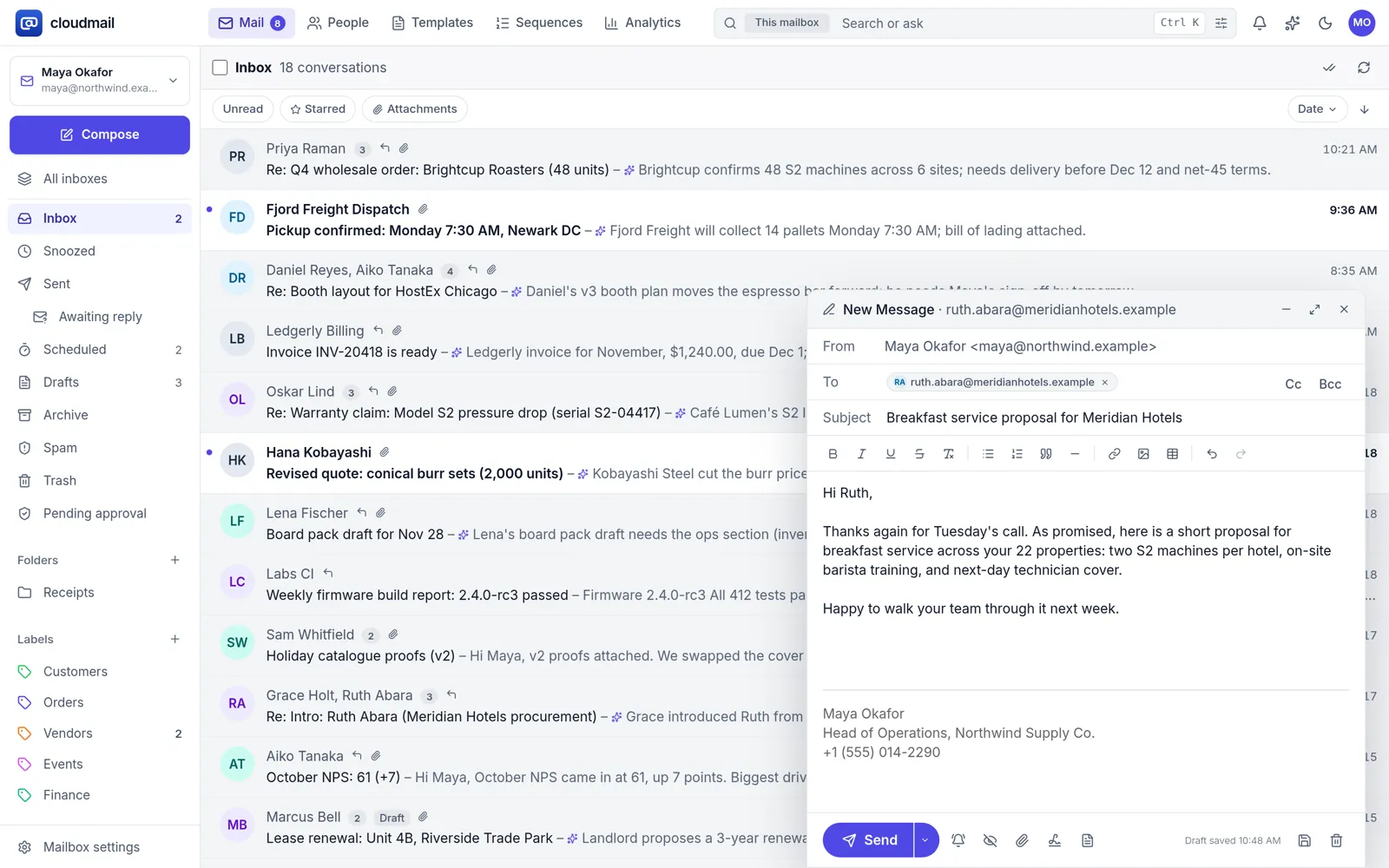
Hi Priya, we can start the pilot on Monday the 3rd. I've attached the setup checklist for your team.
Threads, folders and labels
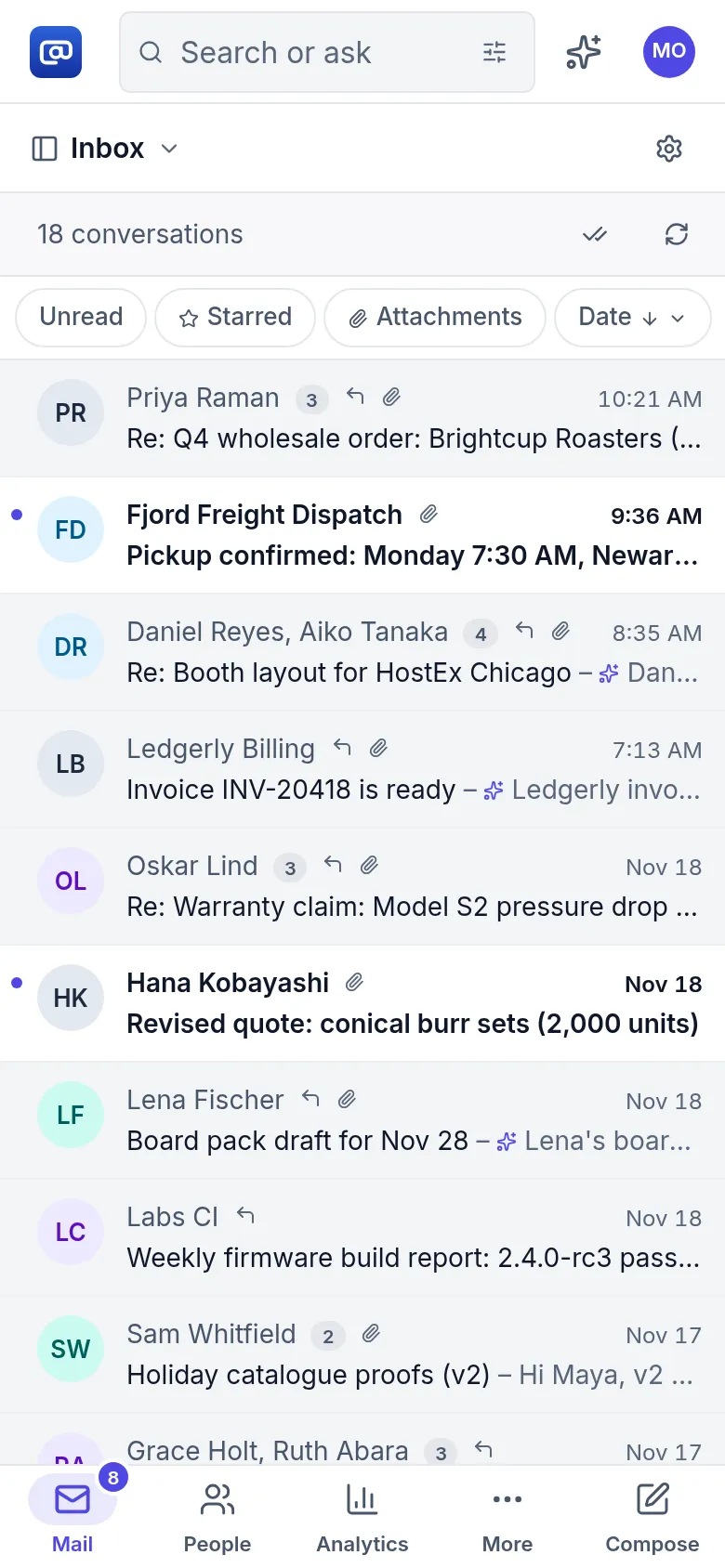
Conversations stay together. Labels work across folders, and any label can become a tab above the inbox.
A composer that keeps up
Attachments, inline images, signatures, templates, contact autocomplete and drafts that save as you type.
Schedule and undo
Send later, or take a message back within 30 seconds.
Snooze and follow-ups
Snoozed mail returns when you asked. Remind me if no reply brings a sent message back when nobody answers.
Search operators
from:, to:, subject:, is:, has:, before: and after:, over a full-text index of every mailbox.
Rules, mute and vacation replies
File, label or silence mail before you see it. Auto-replies skip mailing lists, bounces and other auto-responders.
A daily brief
Optional. At the time you choose: what needs a reply, what is still waiting on others, and what arrived.
A Trash you can trust
Delete has an Undo, restore puts a message back where it was, and Trash empties itself after 30 days.
Import your old mail
Google Takeout, .mbox, .eml or any IMAP account. Labels, threads and read state come with it, and re-running adds no duplicates.
Teams
Domains and teams
One deployment holds every domain you own, every person on your team and every shared address.


Multiple domains
Add domains from settings. Each one lists the DNS records it needs and checks them live.
Aliases and catch-alls
One mailbox can take addresses on several domains, and unknown addresses can land in a catch-all instead of bouncing.
Shared inboxes with roles
Viewer, agent, manager or owner, per mailbox. Send as the mailbox, or on behalf of it with your name shown.
Delegation
A mailbox owner can give an assistant access without asking an administrator.
All inboxes
Conversations from every mailbox you can read, newest first, filtered by product.
Products
Group domains under one identity with its own display name, accent colour, logo and default signature.
Your choice of sending
Cloudflare Email Service, or your own Amazon SES or Resend account, set per domain.
Invites and people
Invite links you hand over yourself, and a People view of your mail grouped by correspondent.
Access log
Who read, sent, filed or approved what, per mailbox, including which token or app did it.
Sending
Templates and sequences
For the mail you send more than once: onboarding, follow-ups and updates, with the safeguards mailbox providers expect.
Templates
Shared templates with variables, listed first for the product you're writing from.
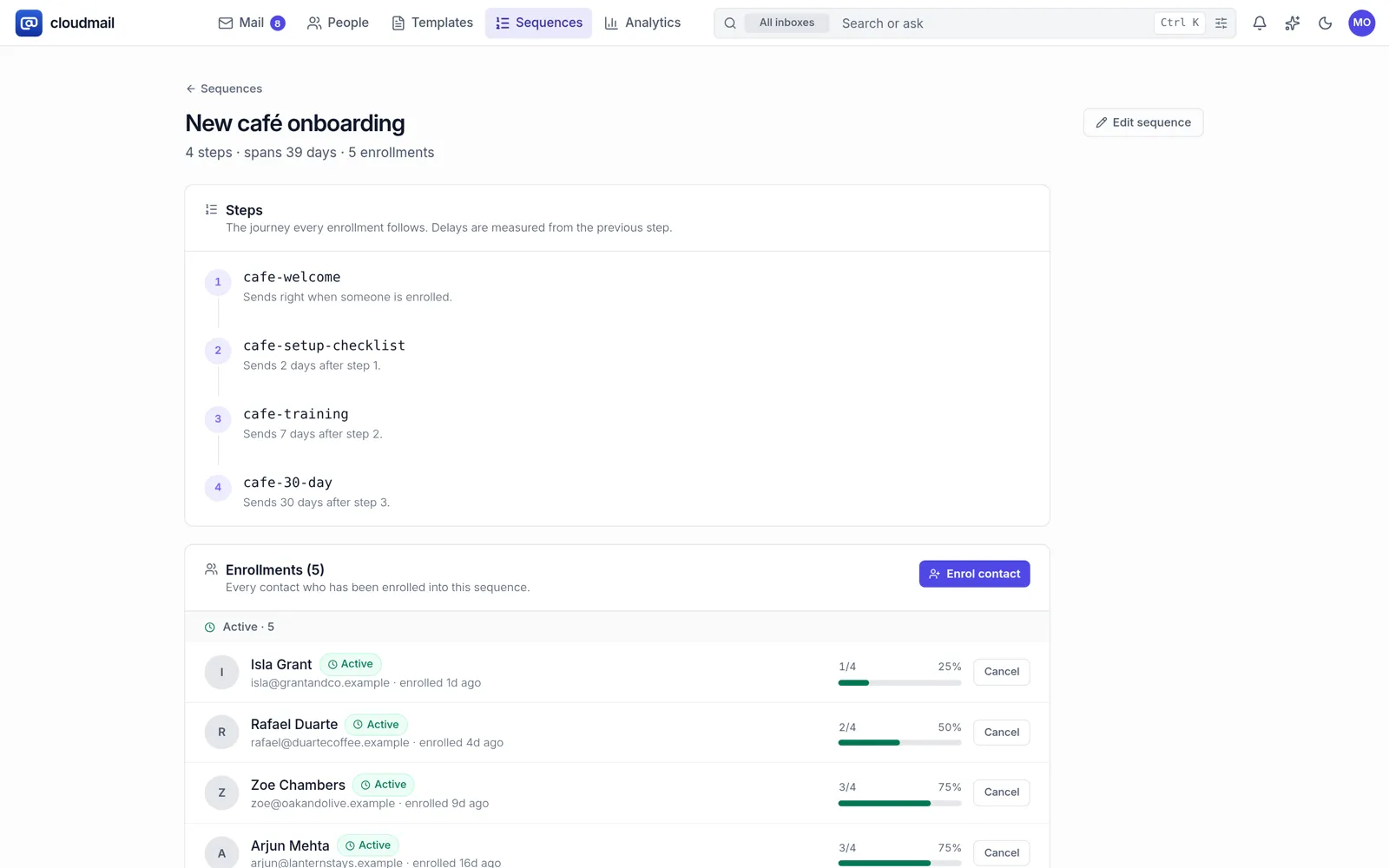
Sequences
Timed steps that stop when the person replies.
Open and click tracking
Per message status in Sent. Opens from mail-privacy proxies are labelled, and your own opens don't count.
One-click unsubscribe
Standard unsubscribe headers on bulk mail, honoured the moment someone asks.
Suppression list
Hard bounces, complaints and unsubscribes are kept, so you don't mail people who said no.
Complaint brake
Above a 0.1% complaint rate you get a warning. Above 0.3%, bulk sending from that domain pauses.
Send caps
Per-mailbox hourly and daily limits that an administrator can raise.
Delivery timeline
Sent, delivered and bounced, per message, with bounces fed back from your sending provider.
Imports stay quiet
Imported mail never triggers forwarding, auto-replies, webhooks or notifications.
Security
Security and privacy
Sign-in is built in, sender claims are checked, and the defaults for tracking and retention are yours to set.
Passwords, passkeys and 2FA
Email and password, passkeys, or an authenticator app with recovery codes. No separate identity service needed.
Lockouts that can't be used against you
Wrong passwords lock one email and network pair, so an attacker elsewhere can't lock you out.
Sender checks you can trust
Only Cloudflare's own authentication results count. Look-alike domains and misleading links get a warning.
Remote images held back
Images load only when you allow them, through a proxy, and known tracking pixels stay blocked.
Cleaner links
Tracking parameters such as utm_ and fbclid are removed from links in mail you receive.
Tracking controls
Switch tracking off per mailbox or per message, add a disclosure line, and honour recipients who opt out.
Retention you choose
Tracking events, AI chat, the audit log and Trash are deleted on the schedule you set.
Export and delete
Anyone can export their data as .mbox files, or delete their account with a 7-day grace period.
A privacy notice page
A public page built from your settings, linked from sign-in and unsubscribe pages.
Apps
On every device
cloudmail is a web app you can install. It works in any modern browser, on a phone or a desktop.
 cloudmail
Install it as an app
Add it to your home screen or dock. It opens like any other app.
Push notifications
New mail, sends waiting for approval and follow-ups that come due, encrypted to your device.
Act from the notification
Archive or mark as read without opening the app.
Quiet hours and privacy
Hold notifications overnight, or hide the sender and subject from the lock screen.
Live updates
Open tabs update as mail arrives, without refreshing.
Your branding
Set the app's name, tagline, accent colour and logo for your deployment.
iPhone and iPad
Push needs iOS 16.4 or later, with the app added to the Home Screen.
Approve from anywhere
A send waiting for your approval arrives as a notification, and you can review it from your phone.
Keyboard first
A command palette and shortcuts for moving through mail without the mouse.
One-time licence